
- 분류 전체보기 (976)

Notice
Recent Posts
Recent Comments
Link
| 일 | 월 | 화 | 수 | 목 | 금 | 토 |
|---|---|---|---|---|---|---|
| 1 | 2 | 3 | 4 | 5 | 6 | 7 |
| 8 | 9 | 10 | 11 | 12 | 13 | 14 |
| 15 | 16 | 17 | 18 | 19 | 20 | 21 |
| 22 | 23 | 24 | 25 | 26 | 27 | 28 |
Tags
- kotlin coroutine
- SRE
- PETERICA
- CloudWatch
- 바이브코딩
- Pinpoint
- CKA 기출문제
- aws
- tucker의 go 언어 프로그래밍
- AWS EKS
- LLM
- 공부
- Java
- 코틀린 코루틴의 정석
- 티스토리챌린지
- Linux
- kotlin
- APM
- 정보처리기사 실기 기출문제
- MySQL
- Rag
- 기록으로 실력을 쌓자
- Kubernetes
- go
- CKA
- 오블완
- minikube
- Spring
- golang
- AI
Archives
- Today
- Total
피터의 개발이야기
[Docker] 트러블슈팅 - err: exec: "docker-credential-osxkeychain" 본문
DevOps/Docker
[Docker] 트러블슈팅 - err: exec: "docker-credential-osxkeychain"
기록하는 백앤드개발자 2023. 10. 25. 14:48반응형
ㅁ 들어가며
[Jenkins] Docker 기반 Jenkins quick start examples을 맥북미니(m1) 환경에서 실행하면서 err: exec: "docker-credential-osxkeychain" 에러가 발생하여 해결하는 과정을 정리하였습니다.
ㅁ 에러내용

error getting credentials - err: exit status 1, out: `error getting credentials - err: exec: "docker-credential-osxkeychain": executable file not found in $PATH, out: ```
ㅁ 해결방안
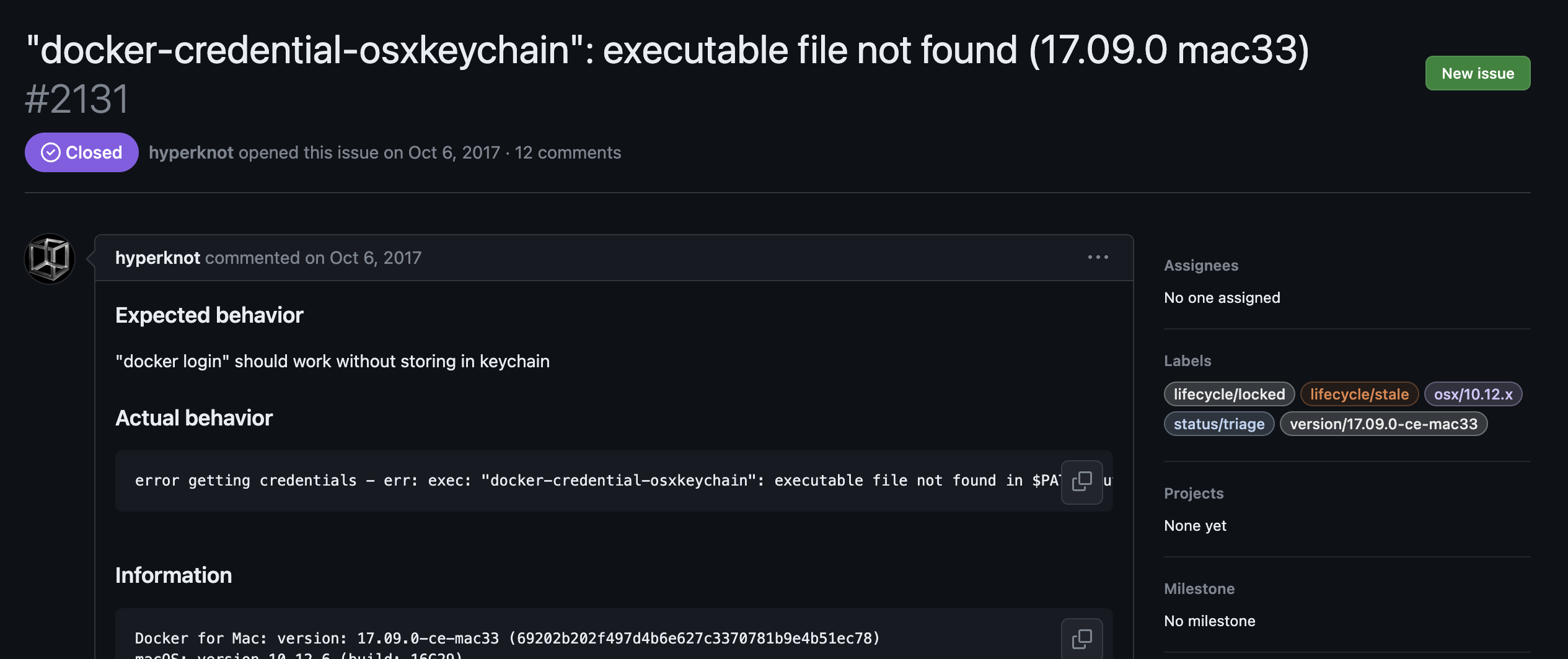
ㅇ docker 이슈 사항에 비슷한 에러발생 이력이 있어서 해당 페이지를 검토하였습니다.

ㅇ brew를 통해 docker-credential-helper를 설치하여 해결했다고 합니다.
ㅁ 해결
$ brew install docker-credential-helper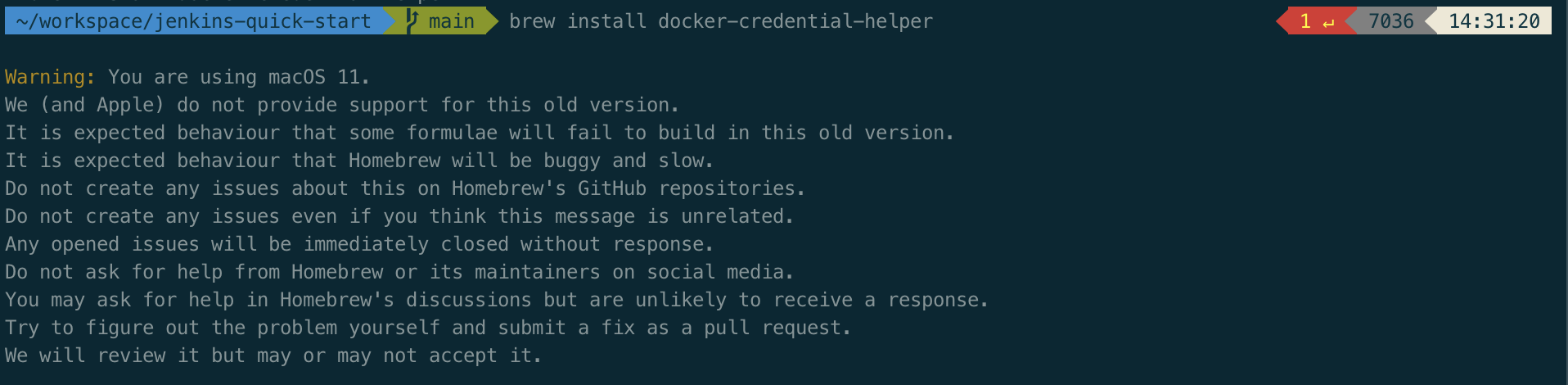
ㅇ docker-credential-helper을 설치하네 m1의 OS가 너무 오래되었다고 안내가 뜨네요.
ㅇ 하지만 설치는 무사히 완료하였습니다.
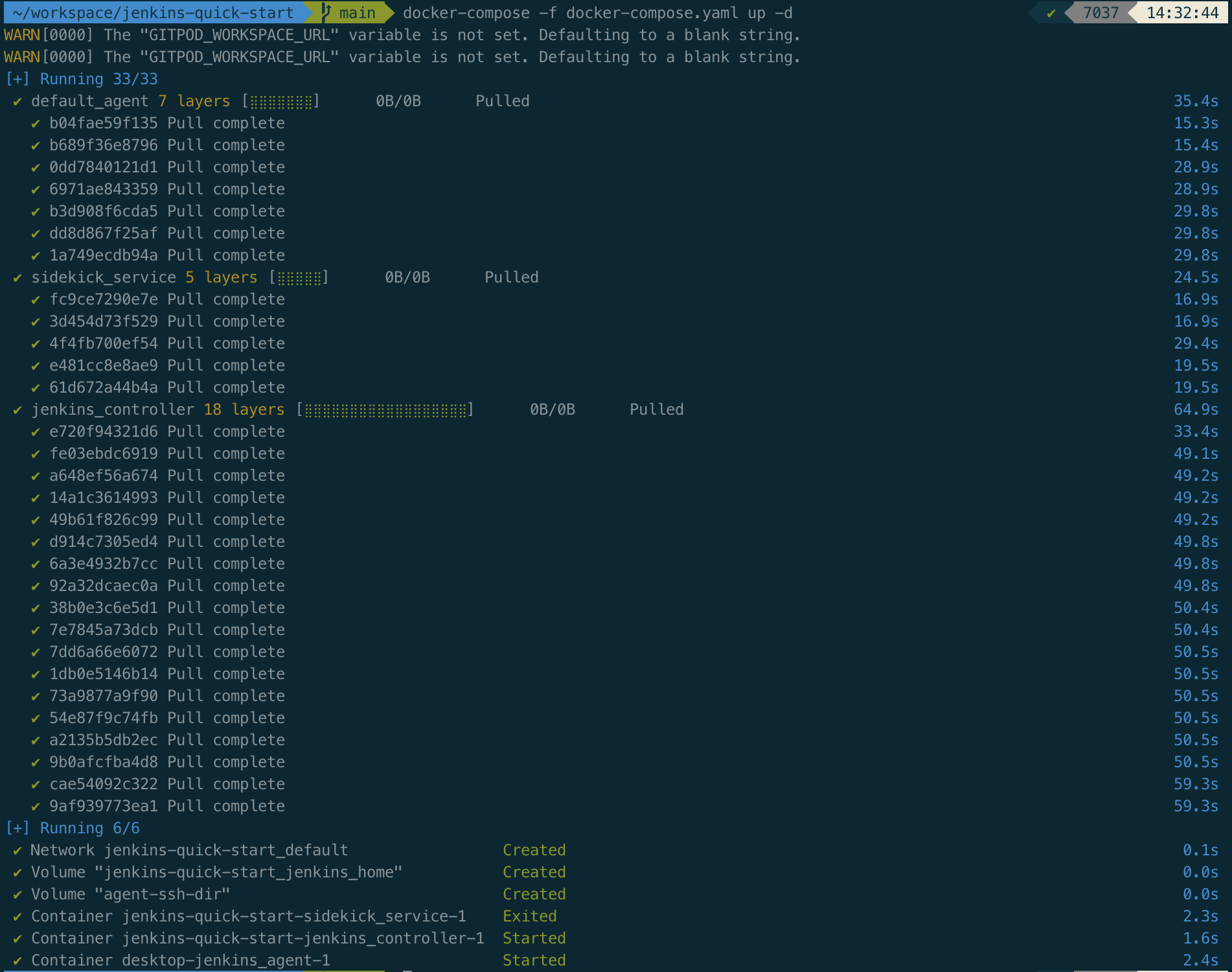
ㅇ 실패하였던 docker-compose를 다시 실행하였는데, 정상적으로 실행되었습니다.
ㅁ 함께 보면 좋은 사이트
ㅇ [Jenkins] Docker 기반 Jenkins quick start examples을 맥북미니(m1) 환경에서 실행
ㅇ "docker-credential-osxkeychain": executable file not found (17.09.0 mac33)
반응형
'DevOps > Docker' 카테고리의 다른 글
| [Docker] Dokémon, Docker 웹관리 페이지, WEB GUI for Docker (2) | 2023.12.27 |
|---|---|
| Docker 파일복사 | 폴더복사 (로컬 - 컨테이너) (2) | 2023.12.07 |
| [Docker] Docker에서 CPU 및 메모리 제한 설정 (0) | 2023.09.26 |
| [Docker] 자동완성 설정하기(zsh, MacOS), Insecure completion-dependent directories detected 해결 (0) | 2023.08.10 |
| [Docker] Docker 기본 명령어 정리 (0) | 2023.08.10 |
'DevOps/Docker' Related Articles
more


Comments